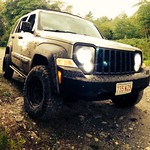
Ok so a while ago I decided to get the nice Limited Fog light housings and the relay/harness and switch combo thing. To make a long story short, it came in all busted up so I returned it. At the same time I purchased a set of DDM 3000k HID's to mount in the fog light so I could have actual yellow fogs and use them for their intended purpose, driving in poor conditions. So I decided to get a set of Renegade Black Head light housings and just make my own switch since the HID kit has its own relay and other stuff. I was met with the question of where to put the switch. Unfortunatly, Jeep decided to make putting switches in the KK a fun challenge so I surfed around and found someone who did something like this.

The thread is at
http://www.lostjeeps.com/forum/phpBB3/viewtopic.php?f=88&t=64642So using his as a model I started my own and figured I'd post stuff step by step as I do it.
PIX will come soon. I'm still in the process of making it.
---------------------------------------------------------------------------------------------------------------------------------
Tools/ Matts Req:1 Plastic Dip
1 Pair of Metal Snips (Bought a pair from Home Depot for ~$12)
1 Piece of Sheet Metal, I used a piece of 26 gauge zinc plated aluminum I also got from home depot.
4 Snap-In Bracket Center (
http://www.otrattw.com/proddetail.php?prod=VMM-01 )
2 Snap-In Switch bracket- End (
http://www.otrattw.com/proddetail.php?prod=VME-01 )
1 V-series Contura V sealed rocker switch, FOG LIGHTS (
http://www.otrattw.com/proddetail.php?prod=VVPZC4S-17V&cat=14 )
Some Misc. Bolts / Sheet metal Screws
A drill
---------------------------------------------------------------------------------------------------------------------------------
1. Assemble the Snap-In brackets
2. Place them on the sheet metal and trace the outline
3. Next Cut out the online of the face, leaving a little bit extra at the top so you can bend it.
I bent the very top of it, about a 1/4 of an inch so it sits flush with the dash.
4.
Drill a hole in the center of the face (So you can cut the center out later w/ the metal snips)
5. Cut out the side mounts that will attach to the face.
Leave about a 1/4 inch extra on the side that will attach to the face so you can bend it.
6. Drill 2 hole through each of the Side mounts and then drill 2 holes where they will bolt into the face.
7. Drill through the face where the screws and bolts will be mounted that will attach it to the dash.
8. Finalize where the snap in brackets will sit and cut it out. Don't place them in yet.
8. This is the fun part PLASTIC DIP TIME!!
Cover each piece individually and let everything dry completely.
9. Once everything's dry, start bolting it together
10. Place in the snap in brackets.
11. Next, take apart the dash to get to the dimmer switch wire. (This step is only necessary if you have switches that have independently wired lights.)
12. Hook up your switch to whatever you want. Run the wires up through the dash and to the back of the switch box and attach.
13. Bolt everything down and your done!

 Login
Login Register
 FAQ
FAQ Search