Been doing some work in the back.




| LOST JEEPS http://www.lostjeeps.com/forum/phpBB3/ |
|
| Updates to me JeepPC http://www.lostjeeps.com/forum/phpBB3/viewtopic.php?f=6&t=7344 |
Page 1 of 2 |
| Author: | billforde [ Tue Apr 04, 2006 10:50 am ] |
| Post subject: | Updates to me JeepPC |
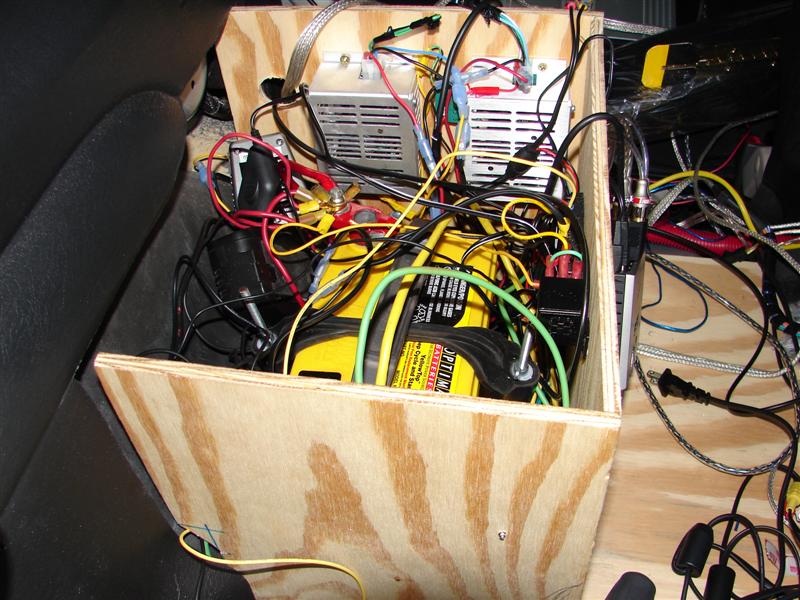
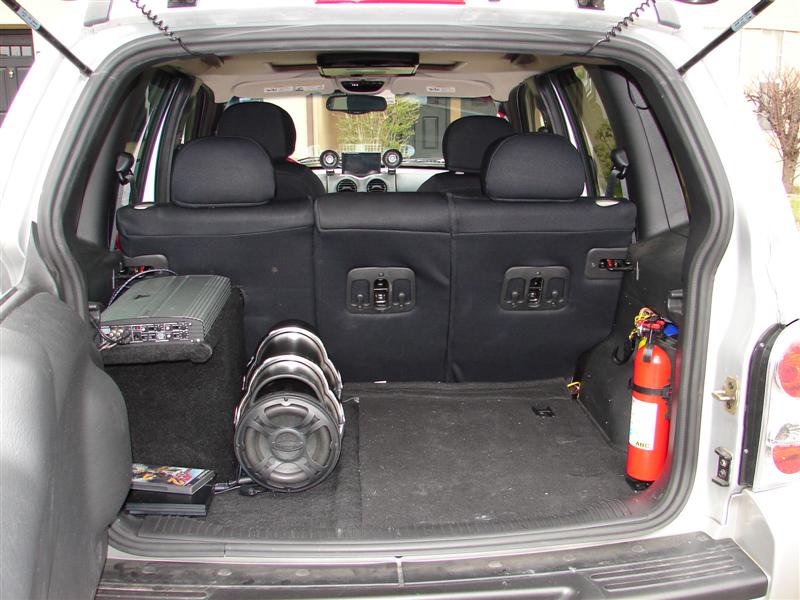
Been doing some work in the back.
|
|
| Author: | Se7enLC [ Tue Apr 04, 2006 11:51 am ] |
| Post subject: | |
that looks dangerously like you just threw a whole lot of components into a box on top of an exposed battery... I see a battery, some power supplies, a cigarette lighter splitter, a wireless router, a playstation, an amplifier, and a lot of wires, but I don't see the PC? |
|
| Author: | billforde [ Tue Apr 04, 2006 12:00 pm ] |
| Post subject: | |
Actually the components are mounted to the side of the box, i just have to finish cleaning up my wires. The pc is actually under the passengers seat. What i have in the box is: Aviosys IP Video 9100A; is a linux base capture device for my front and rear camera. Linksys switch (not wireless); connects pc to 9100a. Creative Sound Blaster Audigy 2 NX USB; Provides 5.1 sound. 2 Carnetix 1260 voltage regulars; Provides constant 12v to the computer. Slim Playstation 2 (not in the box) 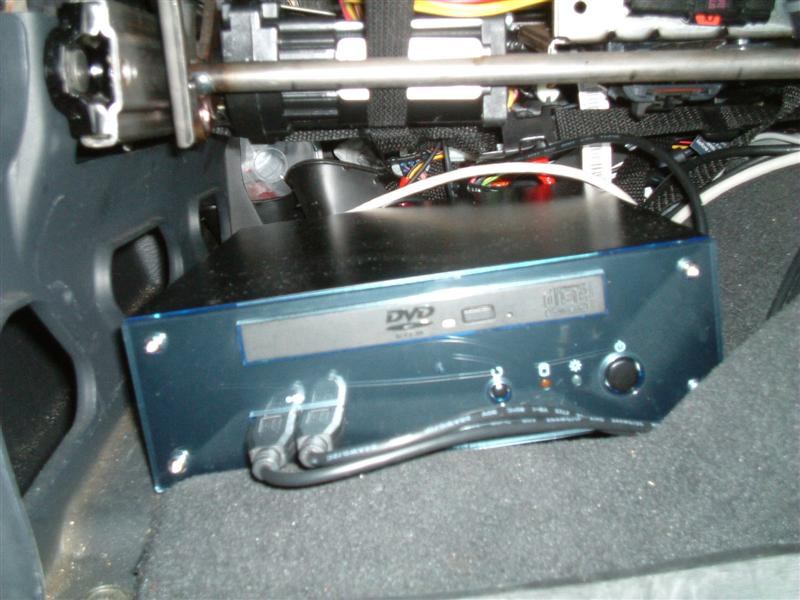
|
|
| Author: | sqliberty [ Tue Apr 04, 2006 12:20 pm ] |
| Post subject: | |
Be careful with all that wiring, that look like a fire waiting to happen. Is the monitor on the dash by the vents motorized to go down? |
|
| Author: | billforde [ Tue Apr 04, 2006 12:26 pm ] |
| Post subject: | |
The monitor is stationary. I would have to relocate the vents to get enough room for it to go down. |
|
| Author: | sqliberty [ Tue Apr 04, 2006 12:38 pm ] |
| Post subject: | |
I was thinking of removing my vents completely to put a motorized monitor in. |
|
| Author: | billforde [ Tue Apr 04, 2006 12:47 pm ] |
| Post subject: | |
I thought about removing them too (speakers would fit perfectly there), but I dont think the side vents would provide enough cold/hot air during the summer/winter months. |
|
| Author: | sqliberty [ Tue Apr 04, 2006 1:17 pm ] |
| Post subject: | |
I never use them anyway, I don't like them blowing in my face |
|
| Author: | kickit_in4wheel [ Wed Apr 05, 2006 1:30 am ] |
| Post subject: | |
Do you have any fans or vents to keep that cool? All that heat and wires in a wooden box with an exposed battery...I think I'm gonna have trouble sleeping tonight for your sake. -Rick |
|
| Author: | unixxx [ Wed Apr 05, 2006 6:30 pm ] |
| Post subject: | |
Glad to see I'm not the only one crazy enough to put a computer in their car! I'm doing something similar to you, only I'm using an Opus 120W DC-DC mini ITX case. I'd like to see how yours turns out. 
|
|
| Author: | billforde [ Wed Apr 05, 2006 7:42 pm ] |
| Post subject: | |
Which mini-itx board are you planning to use? My current install is using the VIA EPIA MII 12000. Check my site for the rest of my specs. |
|
| Author: | Tokyojoe [ Wed Apr 05, 2006 7:52 pm ] |
| Post subject: | |
Would love to see some guy out on a trail playing Counterstrike Source, Day of Defeat Source, or Battlefield2 online by satellite. |
|
| Author: | unixxx [ Wed Apr 05, 2006 7:53 pm ] |
| Post subject: | |
I'm going to buy an iBase MB896F: http://www.ibase-i.com.tw/mb896.htm The F option gives me Firewire and Gigabit LAN. Are you using GPS through your PC or through a seperate system? |
|
| Author: | billforde [ Wed Apr 05, 2006 8:01 pm ] |
| Post subject: | |
unixxx wrote: I'm going to buy an iBase MB896F: http://www.ibase-i.com.tw/mb896.htm The F option gives me Firewire and Gigabit LAN. Are you using GPS through your PC or through a seperate system?
I use my Garmin GPS both standalone, and to feed the current position to my computer(USB). http://www.inmyhappyplace.com/jeep/track.php, if you click on the date, it maps the position of when the image was taken. |
|
| Author: | unixxx [ Wed Apr 05, 2006 8:06 pm ] |
| Post subject: | |
Now that is beyond sweet Did you write some software to capture pictures and then append the position? What are you using for Sirius? I was thinking about integrating with the factory Sirius module using the car's PCI network (superset of OBD-II).
billforde wrote: unixxx wrote: I'm going to buy an iBase MB896F: http://www.ibase-i.com.tw/mb896.htm The F option gives me Firewire and Gigabit LAN. Are you using GPS through your PC or through a seperate system? I use my Garmin GPS both standalone, and to feed the current position to my computer(USB). http://www.inmyhappyplace.com/jeep/track.php, if you click on the date, it maps the position of when the image was taken. |
|
| Author: | billforde [ Wed Apr 05, 2006 8:11 pm ] |
| Post subject: | |
Couldnt find software to do exactly what i wanted, so i ended up having to write my own. |
|
| Author: | billforde [ Wed Apr 05, 2006 8:18 pm ] |
| Post subject: | |
I use http://www.rush2112.net/ for getting sirius to work through the PC. |
|
| Author: | unixxx [ Wed Apr 05, 2006 8:25 pm ] |
| Post subject: | |
Yeah, I saw that, but I didn't feel like purchasing a new Sirius receiver and ditching my nicely mounted OEM antenna. billforde wrote: I use http://www.rush2112.net/ for getting sirius to work through the PC.
|
|
| Author: | billforde [ Mon Apr 17, 2006 7:28 pm ] |
| Post subject: | |
Last weekend project. Going from my mouse (trackball) constantly having buttons accidently pressed. 
to 
|
|
| Author: | billforde [ Sat Apr 22, 2006 4:42 pm ] |
| Post subject: | |
Ok, the red is gone (on the outside). Now have color match side mirrors. 
Note the camera in the center of the grill. 

Color match door handles. 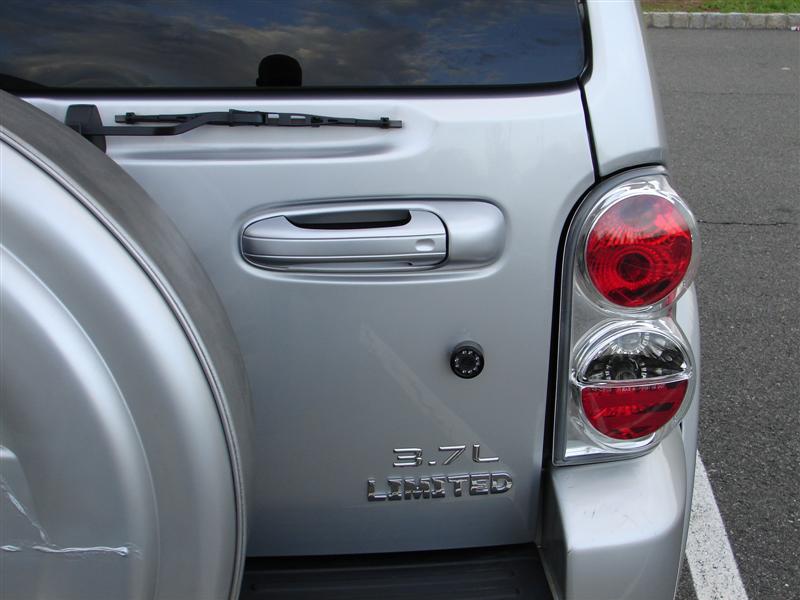
Replace original "limited" badge with one that matches the other lettering. 

|
|
| Page 1 of 2 | All times are UTC - 5 hours [ DST ] |
| Powered by phpBB © 2000, 2002, 2005, 2007 phpBB Group http://www.phpbb.com/ |
|