It is currently Sat Sep 26, 2026 4:19 pm

All times are UTC - 5 hours [ DST ]


Post new topic Reply to topic  [ 8 posts ] 
Author Message
 Post subject: Need Some Computer Help
PostPosted: Sun Mar 08, 2009 10:39 am 
Offline
Lifetime Member
Lifetime Member
User avatar

Joined: Sat Jul 01, 2006 9:19 pm
Posts: 4129
Location: Saint Augustine, FL
My clip board doesn't seem to be emptying. I had copied a web addy, pasted it, then tried to post a picture from Photo Bucket on here. What showed up was the web addy from before. Anyone have any suggestions?

I have a video & pics. from a ride yesterday I wanted to post on here.

Terry

_________________
Image2011 Ford F-150 XLT 4X4


Top
 Profile  
 
 Post subject:
PostPosted: Sun Mar 08, 2009 10:48 am 
Offline
Lifetime Member
Lifetime Member
User avatar

Joined: Mon Sep 08, 2008 3:38 pm
Posts: 785
Location: watervliet MI
there is one sure way to fix it. turn your computer off and turn it back on... :D sorry Im not a computer guy but I really want to see those pics!

Top
 Profile  
 
 Post subject:
PostPosted: Sun Mar 08, 2009 11:23 am 
Offline
Moderator
Moderator
User avatar

Joined: Thu Apr 05, 2007 11:54 pm
Posts: 2787
Location: Jacksonville, FL
Terry what OS are you using? Restarting will definitely empty it, but may or may not fix your problem.

_________________
- Mike
'12 JK

Jeep Tech Files


Top
 Profile  
 
 Post subject:
PostPosted: Sun Mar 08, 2009 1:03 pm 
Offline
Lifetime Member
Lifetime Member
User avatar

Joined: Sat Jul 01, 2006 9:19 pm
Posts: 4129
Location: Saint Augustine, FL
I'm using Windows XP. I know turning it off would clear the memory but I don't want to have to shut it off for each picture. I'll shut it off and see if it will fix the problem.

Terry

_________________
Image2011 Ford F-150 XLT 4X4


Top
 Profile  
 
 Post subject:
PostPosted: Sun Mar 08, 2009 1:22 pm 
Offline
Moderator
Moderator
User avatar

Joined: Thu Apr 05, 2007 11:54 pm
Posts: 2787
Location: Jacksonville, FL
Fulltimer wrote:
I'm using Windows XP. I know turning it off would clear the memory but I don't want to have to shut it off for each picture. I'll shut it off and see if it will fix the problem.

Terry


1. RIGHT click an empty space on your desktop.
2. Choose "NEW" then "SHORTCUT" from the menu.
3. This starts a wizard. Where it says "Type the location of the item", type in "C:\WINDOWS\system32\clipbrd.exe" (Without quotation marks, and assuming that your OS is on drive letter C)
4. Click Next
5. Name the shortcut "Clipboard Viewer"
6. Click ok.
Anytime you want to see the contents of the clipboad, click on this shortcut. You can edit, copy, or delete the info from the clipboard.

_________________
- Mike
'12 JK

Jeep Tech Files


Top
 Profile  
 
 Post subject:
PostPosted: Sun Mar 08, 2009 2:38 pm 
Offline
Lifetime Member
Lifetime Member
User avatar

Joined: Sat Jul 01, 2006 9:19 pm
Posts: 4129
Location: Saint Augustine, FL
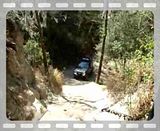
I'll give that a try in a little bit. Thanks! Now I'll see if the video will show up:

Image

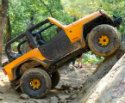
Well, what do ya know. I was that close to the top and hit a rock and got hung up. Had to be winched up over the rock. I'll start a thread in the pictures section and repost the video and some pictures. I'm also waiting on another video.

Terry

_________________
Image2011 Ford F-150 XLT 4X4


Last edited by Fulltimer on Sun Mar 08, 2009 2:41 pm, edited 1 time in total.

Top
 Profile  
 
 Post subject:
PostPosted: Sun Mar 08, 2009 2:39 pm 
Offline
Moderator
Moderator
User avatar

Joined: Thu Apr 05, 2007 11:54 pm
Posts: 2787
Location: Jacksonville, FL
Ever make it up?

_________________
- Mike
'12 JK

Jeep Tech Files


Top
 Profile  
 
 Post subject:
PostPosted: Mon Mar 09, 2009 12:02 am 
Offline
Lifetime Member
Lifetime Member
User avatar

Joined: Sat Jul 01, 2006 9:19 pm
Posts: 4129
Location: Saint Augustine, FL
daspes wrote:
Ever make it up?


With a little help of a winch line I did! Blasted rock.

Terry

_________________
Image2011 Ford F-150 XLT 4X4


Top
 Profile  
 
Display posts from previous:  Sort by  
Post new topic Reply to topic  [ 8 posts ] 

All times are UTC - 5 hours [ DST ]


Who is online

Users browsing this forum: No registered users and 2 guests


You cannot post new topics in this forum
You cannot reply to topics in this forum
You cannot edit your posts in this forum
You cannot delete your posts in this forum

Search for:
Jump to:  
Powered by phpBB © 2000, 2002, 2005, 2007 phpBB Group. Color scheme by ColorizeIt!
Logo by pixeldecals.com